
Forge app for Confluence Cloud · Upgrade Solutions
Jupyter Notebook Viewer for Confluence
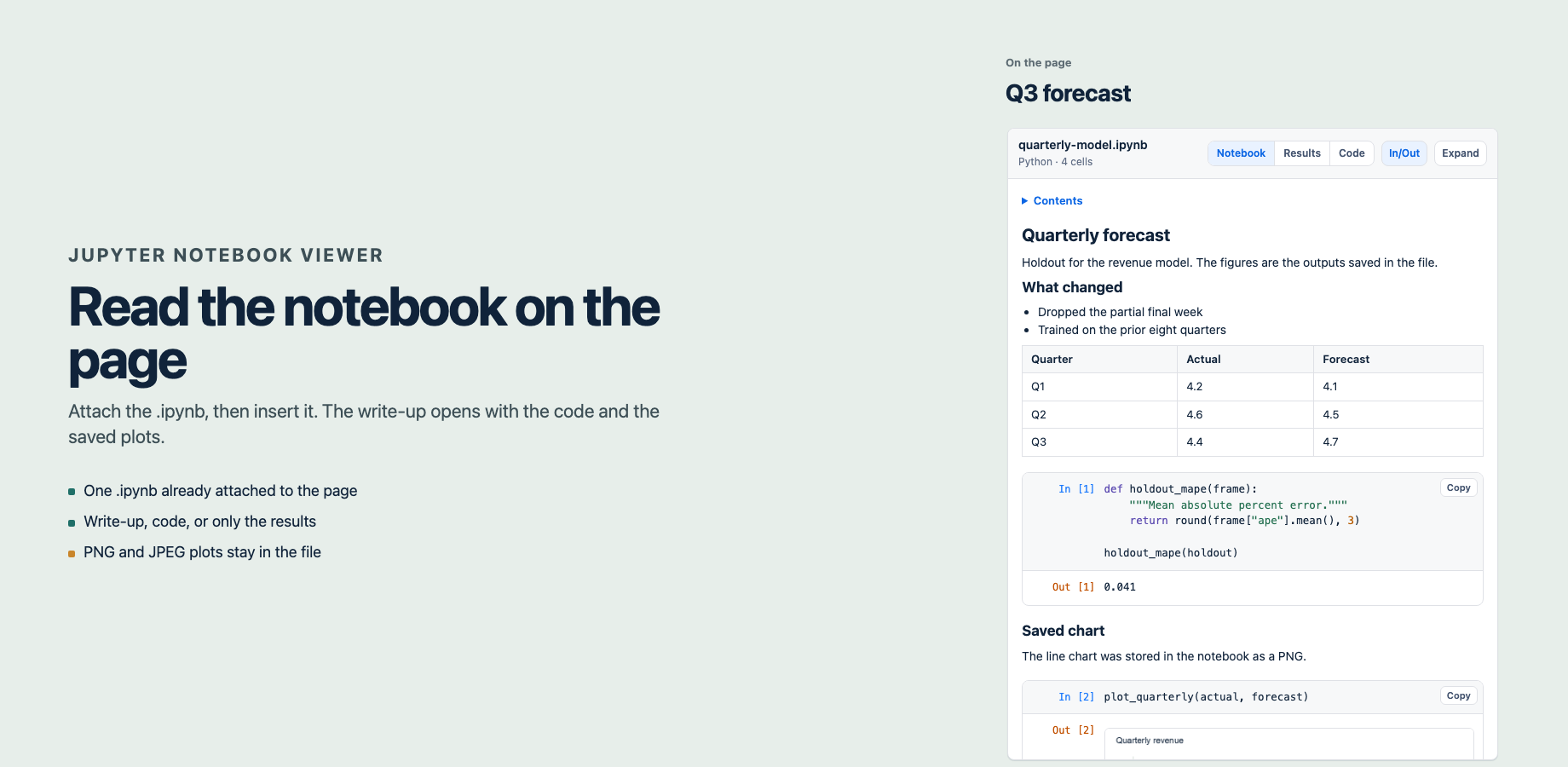
Jupyter Notebook Viewer for Confluence renders one .ipynb file already attached to the page. Readers see the markdown, the code, text output, and plots saved as PNG or JPEG. The notebook is not loaded from another website.
The page does not run the notebook. Numbers and charts are the ones saved in the file. The app runs on Atlassian, stores nothing of its own, and does not send the notebook to another service. Updated .
Purpose
- A forecast or analysis write-up, with the notebook that produced it on the same page.
- A result you can hand to someone who should not have to read the code.
- A saved chart that has to match the file, because the page does not re-run the cells.
- A code review of the cells that were saved, with outputs hidden.
Start with adding a notebook. Reading a notebook covers Results, Code, and In/Out.
Reading modes
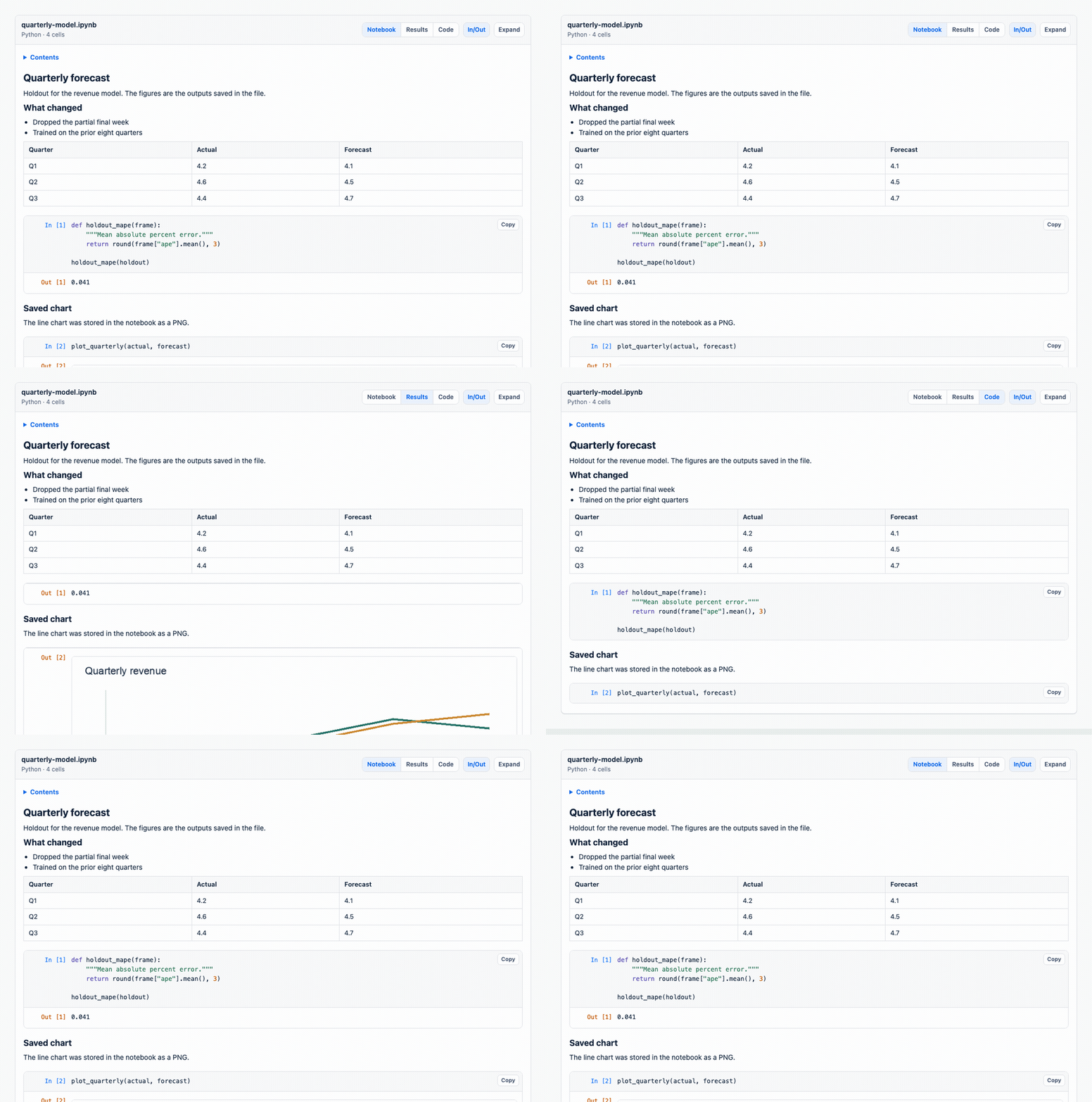
- Notebook shows the write-up and the code, with outputs under the cells.
- Results hides the code. The numbers and the chart remain.
- Code hides outputs, so a review stays on the cells.
Plots
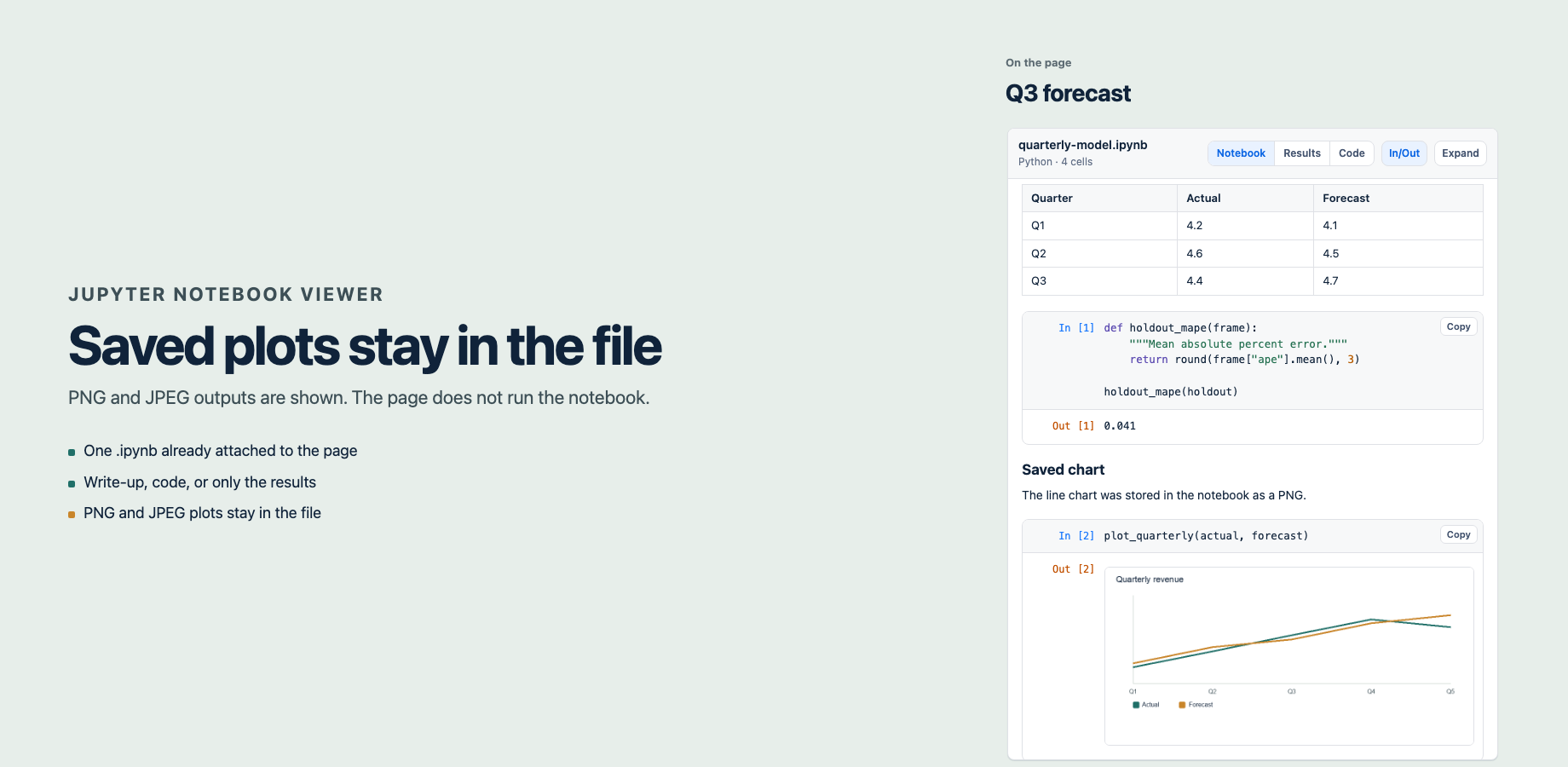
HTML, widgets, and error tracebacks are left out. The limits page lists each case. If a chart is missing, the usual cause is that Jupyter saved it as HTML or SVG rather than PNG.
Price
Up to 10 users is $5 a month. Atlassian bills Cloud apps annually at ten times the monthly price, so that tier is about $50 a year. Larger sites pay a yearly tier.
| Users | About a year |
|---|---|
| Up to 10 | $50 |
| 15 | $75 |
| 25 | $125 |
| 50 | $250 |
| 100 | $500 |
| 500 | $1,450 |
| 1,000 | $2,450 |
A 30-day trial comes with Paid via Atlassian. Above 1,000 users the yearly price steps up by about $200 per extra 1,000 users through 10,000, then by about $1,000 per extra 10,000 users.
Questions
What is Jupyter Notebook Viewer for Confluence?
Jupyter Notebook Viewer for Confluence is a Forge app from Upgrade Solutions. It renders one .ipynb file that is already attached to the current Confluence page or blog post. Readers see the markdown, the code, text output, and plots saved as PNG or JPEG.
How do I show a Jupyter notebook on a Confluence page?
Attach the .ipynb file to the page, edit the page, and type /Jupyter Notebook. Choose the file and insert the macro. If the page has one notebook, that file is already selected. Publish the page.
Does the Confluence page run the notebook?
No. The page shows the outputs saved in the file. It does not start a kernel. To refresh a number or a chart, run the notebook in Jupyter, save, and attach the new file.
Can I hide the code and show only the results?
Yes. Results hides code and keeps the outputs. Code hides outputs and keeps the cells. In/Out shows execution numbers. Each reader’s choice stays in their browser.
Which notebook outputs appear on the page?
Markdown, code, printed text, and PNG or JPEG images stored in the notebook are shown. HTML, JavaScript widgets, error tracebacks, and SVG are left out. A notebook has to be nbformat 4 and 2 MB or smaller.
Does Jupyter Notebook Viewer send the file outside Atlassian?
No. The app runs on Atlassian. It lists attachments on the page, then downloads the one notebook the editor selected. It does not store the notebook and it does not call another service.
What does Jupyter Notebook Viewer for Confluence cost?
Cloud pricing starts at $5 per month for up to 10 users, about $50 a year. Atlassian bills annually at ten times the monthly price. A 25-user site is about $125 a year, a 100-user site about $500 a year, and a 1,000-user site about $2,450 a year.
Support
Email tim@upgradesolutions.io. Include the page URL, the attachment filename, and a screenshot of the message in the macro. Say whether you are editing the page or viewing the published page.